# Giving web apps a real callable surface (instead of making AI guess your DOM)
Browser agents burn tens of thousands of tokens guessing which div is the submit button, then fall apart when someone renames a Tailwind class. Sightkick compiles a declared tool layer into typed WebMCP tools on document.modelContext, so the agent makes a function call and gets a clean result. Here's what we learned building it.
Browser agents can do remarkable things. They just spend most of their effort on the wrong problem.
To click one button, a model reads a screenshot or a full accessibility tree, works out which node is the button, clicks it, then reads the page again to see what happened. That loop runs on every step, it costs tokens and seconds each time, and the next run starts over from scratch.
We built [Sightmap](/blog/sightmap) to handle the semantic naming of every view, component, and network request in an app. Naming orients an agent, but knowing a button is called `ApplyPromoButton` doesn't tell it when to click, what to pass, or whether the click landed. That part still happens in the model, every run.
[Sightkick](https://github.com/sightmap/sightkick) moves it into the browser. You declare a `.sightkick/` folder of tools next to your sightmap, run a compiler to resolve them against it, and the browser hands the result to the agent via [WebMCP](https://webmachinelearning.github.io/webmcp/) on `document.modelContext`. Operating your app becomes a typed function call with a structured result:
```js
await document.modelContext.executeTool({ name: 'apply_promo' }, { code: 'BURRITO20' })
// => { ok: true, value: "Total: $18.92", guidance: [ ... ] }
```
Here is what we learned building it and dogfooding it on our demo app, [Burrito Co.](https://github.com/sightmap/sightkick/tree/main/examples/burrito), including the parts we got wrong the first time.
## Make tools atomic, typed, and idempotent
When we started writing tool definitions, the temptation was to make them smart, letting a tool handle multi-step flows or cross route boundaries. That turned out to be a mistake.
Tools work best when they do exactly one thing at a single point in time. Here is what `apply_promo` looks like in `.sightkick/checkout.yaml`:
```yaml
- name: apply_promo
description: Apply a promo code on the Review step and read the new total.
ensure_view: Checkout
params:
- name: code
type: string
required: true
description: The promo code. BURRITO20 is the only one that works.
guard:
absent:
query: PromoField
steps:
- fill:
query: PromoField
value: '{{code}}'
- click:
query: ApplyPromoButton
- wait_for:
query: PromoAppliedLabel
returns:
description: 'The order total after the promo, e.g. "Total: $9.46".'
value:
query: ReviewTotals
property: total
```
A few small details here save hours of debugging:
- **Names instead of CSS:** `PromoField` and `ApplyPromoButton` aren't CSS selectors. They are semantic names from our sightmap. If the front-end team updates the checkout markup tomorrow, we update the selector in one place in the sightmap, and every tool keeps working.
- **Typed in and typed out:** `params` becomes the tool's input schema, so the agent gets `code` validated as a required string before a single step runs, and `{{code}}` interpolates it into the query. `returns` declares what to read back out: `total`, a property the sightmap declares on `ReviewTotals`.
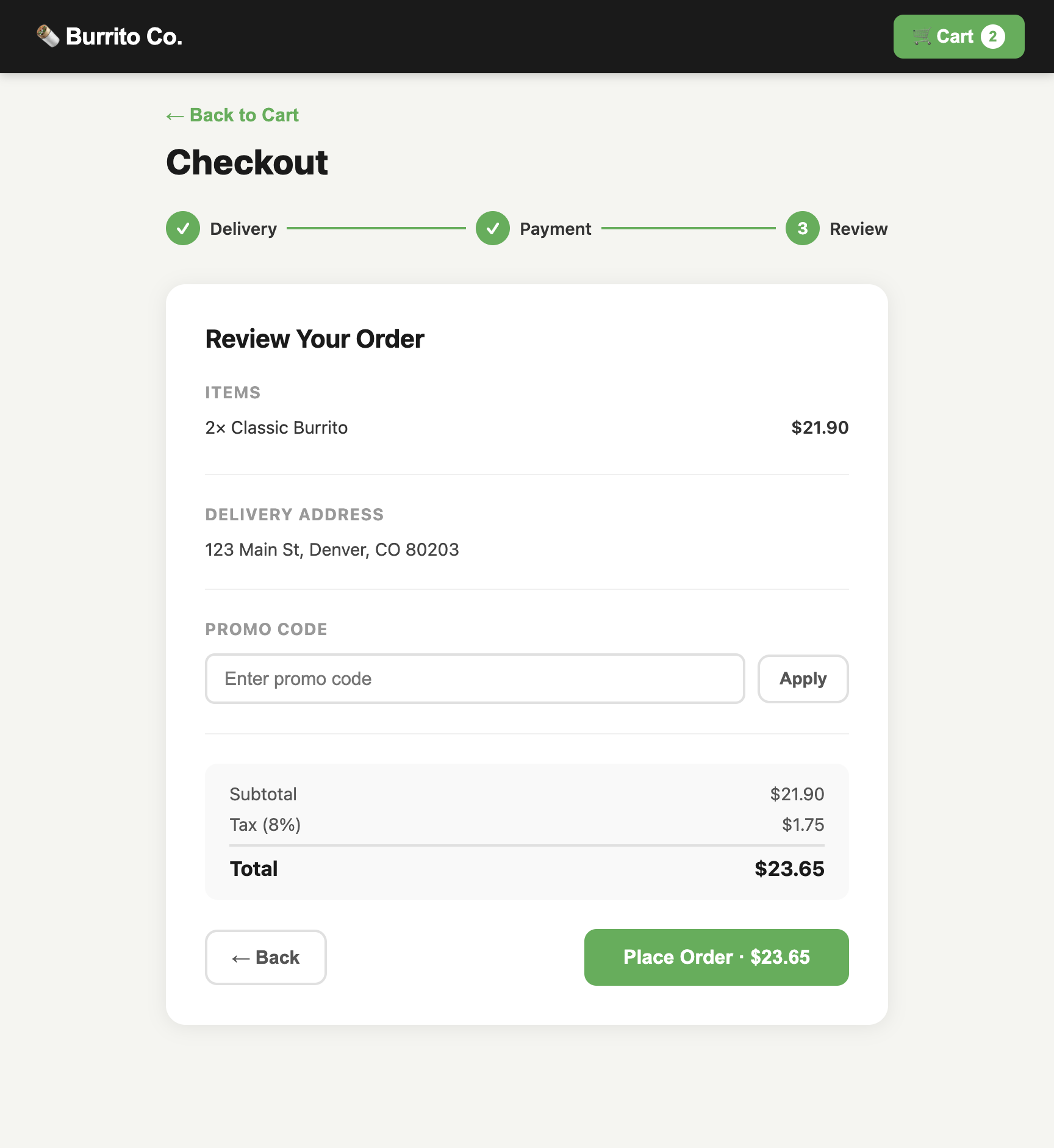
- **Handling retries with guards:** Autonomous agents get nervous when network latency spikes and love to retry calls. The `guard` directive checks the page state first. Once the promo is applied, Burrito Co. removes the input box and shows a confirmation badge. Because `PromoField` is gone, the guard catches it, skips the steps, and returns `skipped: true` with the current total rather than blowing up.
The guard is easier to look at than to describe. Here is the tool above running on a code that works, and the state change the guard keys off:
## A tool is only as honest as what it waits on
This was an embarrassing lesson from our early test runs.
In our first pass at `apply_promo`, we set the `wait_for` step to watch `ReviewTotals`. But `ReviewTotals` is already rendered on the checkout screen whether your promo code works or not.
When the agent passed an invalid promo code, the tool filled the input, clicked apply, checked if `ReviewTotals` was on the screen (it was!), and happily returned `ok: true`, even though the order total hadn't budged and the promo was rejected. The tool was lying.
We fixed it by creating a dedicated component in the sightmap (`PromoAppliedLabel`) that only mounts when a discount successfully applies, and pointed `wait_for` at that. A bad code now fails out loud, naming the selector the compiler resolved that component to:
```json
{
"message": "waitFor: timed out after 5000ms for query [\".checkout .promo-applied\"]",
"ok": false
}
```
If your tool finishes a mutation and immediately returns without waiting for specific, unambiguous feedback, you've built a race condition machine.
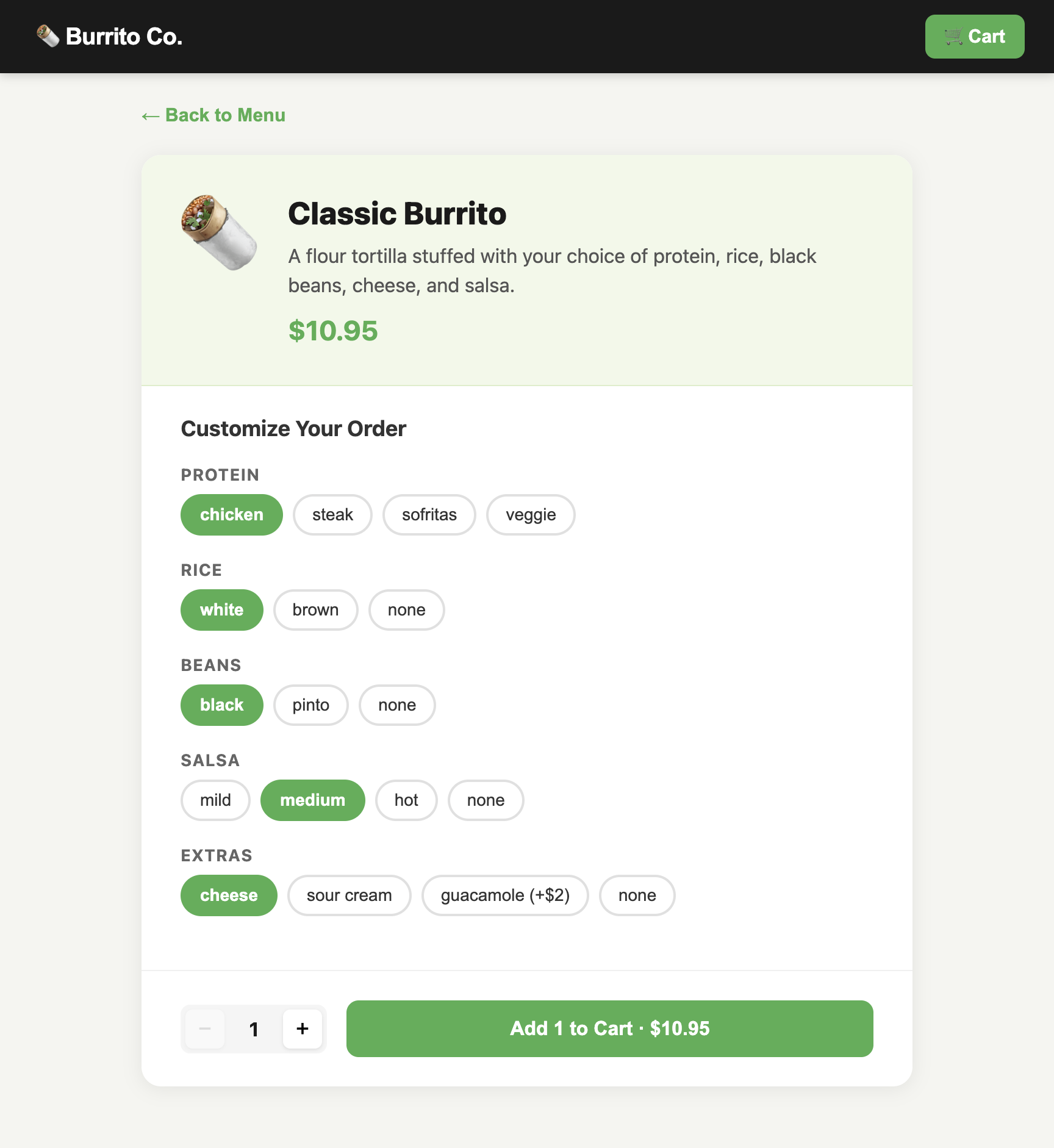
`customize_item`, on the item page, is the shape to copy. Its `wait_for` watches for the option button to come back with a `selected` class, a state that only exists once the click has actually landed, and its `guard` checks that same thing up front:
## Don't drown the model with global tools
Burrito Co. has 30 tools across its entire flow. If you dump 30 tools into an agent's prompt on every page, decision quality plummets. The model spends context tokens wondering if it should call `place_order` while looking at the home menu.
Sightkick scopes tools dynamically by route. That is what the `ensure_view: Checkout` line in the YAML above is for: the browser runtime listens for navigation and uses `AbortController` to tear down the tools that no longer apply and register the ones that do, right on `document.modelContext`.
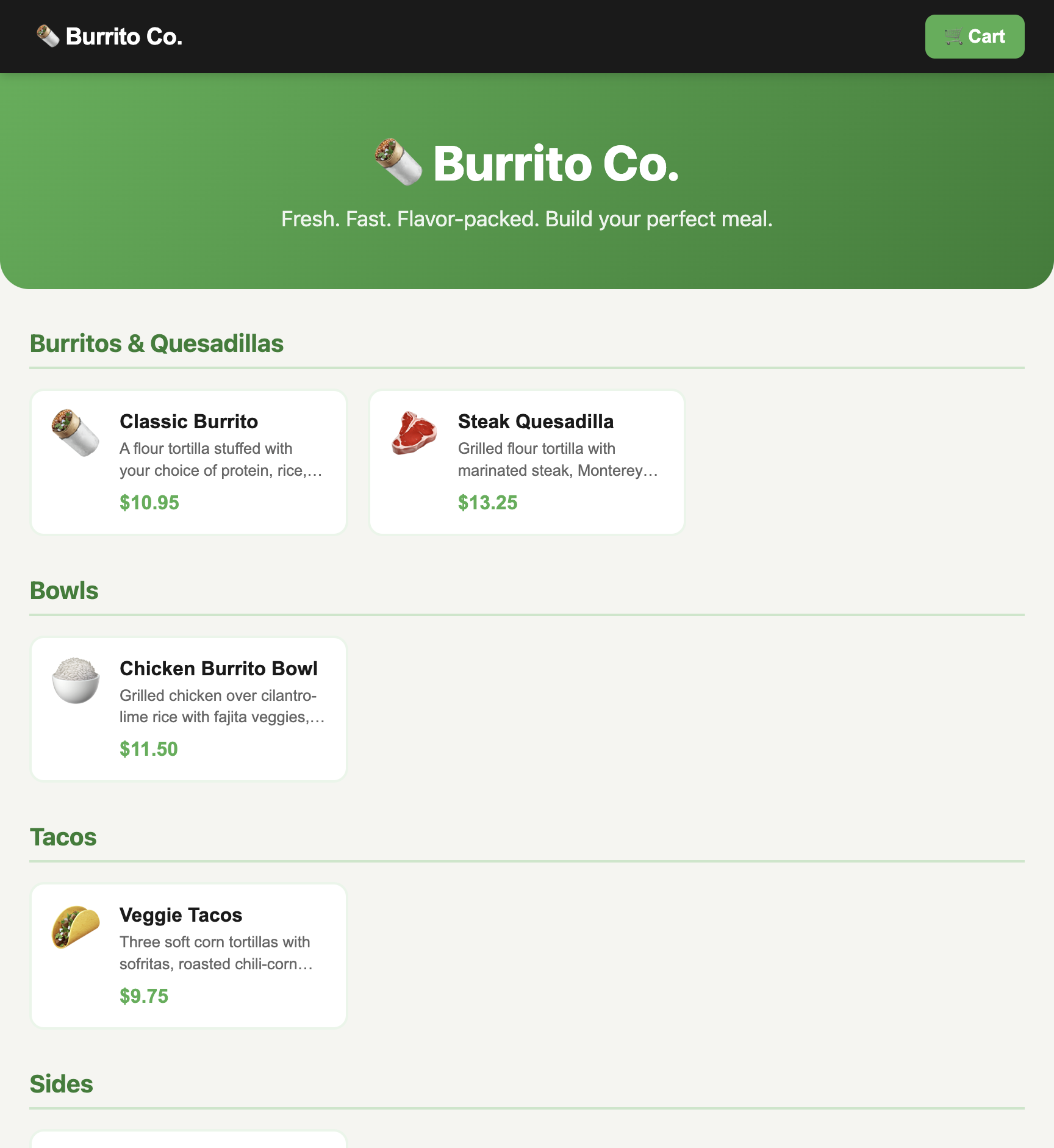
- **On the Menu** (`/apps/burrito/`): the agent only sees 7 tools (`read_menu`, `open_item`, basic nav). Checkout actions don't exist.
- **On Checkout** (`/apps/burrito/checkout/`): menu actions disappear. Now `apply_promo`, `submit_payment_details`, and `place_order` light up.
- **On Confirmation** (`/apps/burrito/confirmation/`): all payment and ordering tools are unmounted, leaving `read_order_id` and `order_again` next to the global nav tools.
The agent doesn't have to guess what's legal; the page only offers what is actually callable right now.
## Breadcrumbs beat complex workflow engines
Once you have atomic tools, how does an agent know what sequence makes sense?
The standard engineering instinct is to build a heavy state machine or workflow orchestrator. We went with something much simpler: journeys.
A journey is just a plain list of tools and the human reason for each step:
```yaml
# abridged; the real purchase journey runs 14 steps
journeys:
- name: purchase
description: Order one customized item end to end, from the menu to a confirmed order id.
steps:
- tool: read_menu
reason: see what's on offer and what it costs before choosing
- tool: open_item
reason: customizations only exist on an item's own detail page
- tool: add_item_to_cart
reason: commit the item — this lands you on the cart, not back on the menu
- tool: read_cart
reason: confirm what landed, with its line total, before paying for it
- tool: go_to_checkout
reason: only reachable from the cart, and only when the cart is non-empty
- tool: apply_promo
reason: BURRITO20 is only applyable on the Review step, before ordering
- tool: place_order
reason: submit from Review; a card ending 0000 is declined here, not earlier
- tool: read_order_id
reason: read the generated order id back as proof the order landed
```
Journeys don't run anything or restrict what an agent can do. Instead, the compiler walks this list and attaches a tiny hint to the response envelope of each step:
```json
{
"guidance": [
{
"tool": "read_cart",
"reason": "confirm what landed, with its line total, before paying for it",
"when": "now"
}
],
"ok": true
}
```
That came back from `add_item_to_cart`, and it answers the question the agent would otherwise burn a snapshot on. Adding an item navigates: you land on the cart, not back on the menu. The envelope says so and names `read_cart` as the next call.
Without that breadcrumb, an agent clicks the button, pauses, takes another DOM snapshot to figure out where it ended up, and debates whether it needs to navigate. With the breadcrumb, it immediately calls `read_cart`. No wasted round trips.
Here is the whole purchase run, one frame per stage, each carrying the breadcrumb that pointed there:
## The accidental superpower: zero-token CI testing
The best thing about building a typed tool surface is what it does for testing.
End-to-end browser tests are notoriously brittle. But because our tools already handle selectors, waits, and state checks, we realized we had a complete test harness.
We write scenarios in plain Gherkin:
```gherkin
Feature: Order a burrito
Scenario: Order two steak burritos with a promo code
Given the menu lists five items
When I open "Classic Burrito"
And I customize "protein" as "steak"
And I increase the quantity to 2
And I add it to the cart
Then the cart holds one line for "Classic Burrito" at "$21.90"
When I check out
And I enter the delivery address "123 Main St", "Denver", "CO", "80203"
And I pay with card "4242 4242 4242 4242" expiring "09/26"
And I apply the promo code "BURRITO20"
Then the order total is "$18.92"
When I place the order
Then I get an order id
```
An agent translates this into a static plan (`purchase.plan.json`) just once. Each Gherkin line becomes a tool call and an assertion:
```json
{
"gherkin": "And I apply the promo code \"BURRITO20\"",
"tool": "apply_promo",
"params": { "code": "BURRITO20" },
"expect": { "value": { "contains": "$18.92" } }
}
```
Every run after that runs via a tiny Node script in CI. It hits the browser, calls the tools directly, and runs assertions. It uses zero LLM tokens and makes zero model API calls.
To keep things honest, the runner checks two hashes before executing: one for the feature file and one for the compiled tool manifest. Editing a single tool's description is enough to trip it, so a changed selector or a broken extractor halts the build right away instead of running stale plans:
```
$ sed -i '' 's/List the menu items with their prices\./List the current menu items and their prices./' examples/burrito/.sightkick/menu.yaml
$ sightkick build examples/burrito -o /tmp/burrito-drift.ir.json
✓ wrote 30 tool(s) to /tmp/burrito-drift.ir.json
$ node scripts/run-plan.mjs examples/burrito/plans/purchase.plan.json
✗ examples/burrito's compiled manifest has changed since this plan was stamped — re-plan (or pass --stale-ok).
```
## Where to poke around
Treating web pages like computer vision puzzles for language models is a brute-force band-aid. If we want autonomous agents that don't flake out or run up massive bills, applications need clear, callable interfaces.
The compiler, the runtime, and the entire Burrito Co. test suite are open source at [github.com/sightmap/sightkick](https://github.com/sightmap/sightkick). Take a look, run the plan runner, and let us know what breaks.