There are more ways to be successful in browser automation today than ever before. Computer-Using Agents (CUAs), WebMCP, and fast System 1 and System 2 models are expanding what's possible, opening up incredible avenues for dynamic web interaction.
Sightkick operates directly at that CUA layer. Paired with a System 1 or System 2 model, it gives agents a clean, structured tool interface to drive web applications in real time, making it ideal for co-browsing, live troubleshooting, and interactive workflows.
But if you want to bring that agent intelligence into your CI pipeline, driving the browser live on every commit isn't the right tool for the job. CI demands sub-second speed, zero non-determinism, and zero token costs.
That's where Sightmap and Sightkick work together. Rather than running live model reasoning during a build, agents use these tools to author and resolve test plans upfront. The result is a three-tiered architecture built for agent-defined, deterministic execution: a map, a toolbox, and a spec. Each layer is a checked-in artifact, referencing the layer below it strictly by name, and nothing more.
Three Layers, Bottom to Top
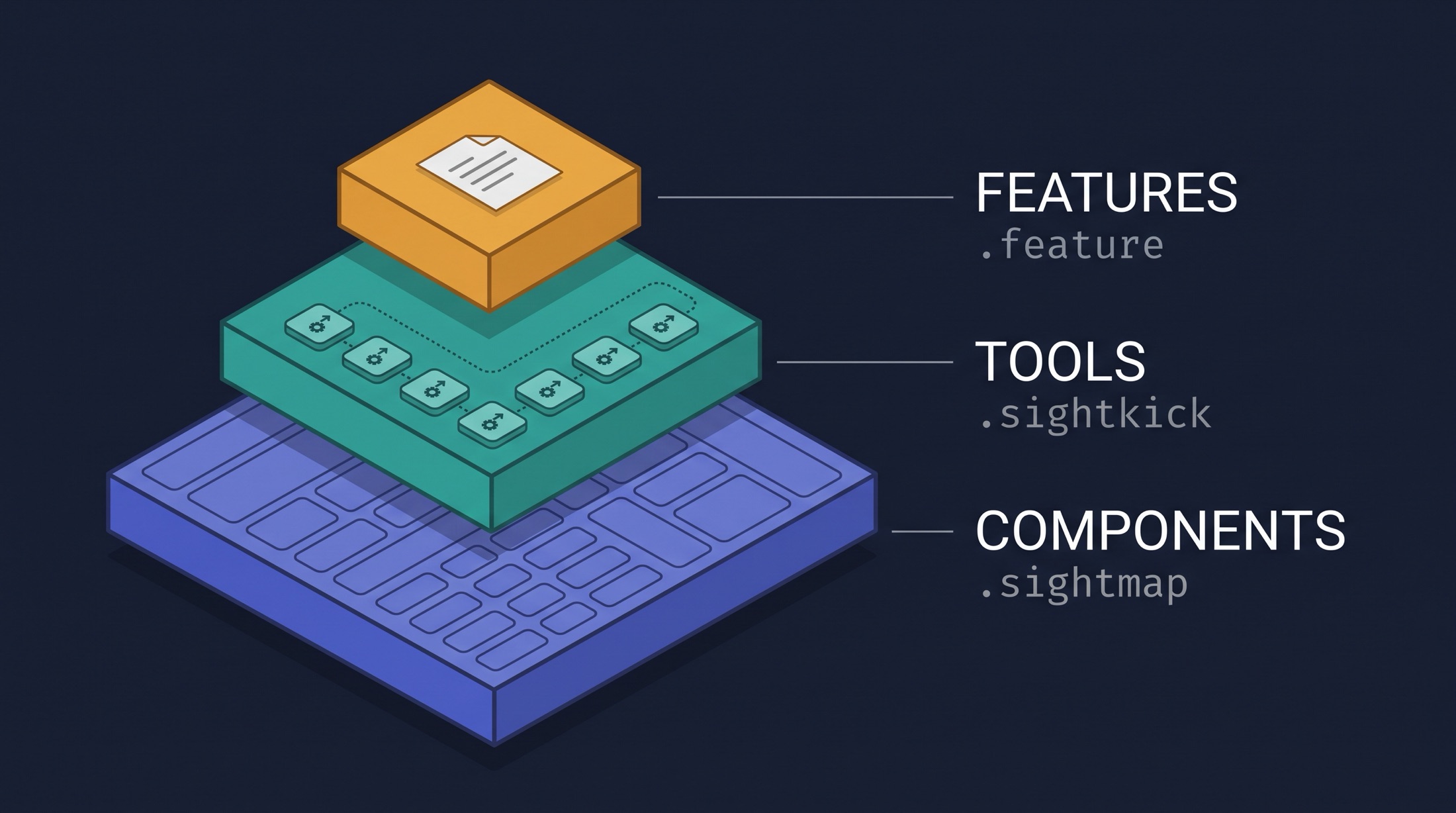
Components (
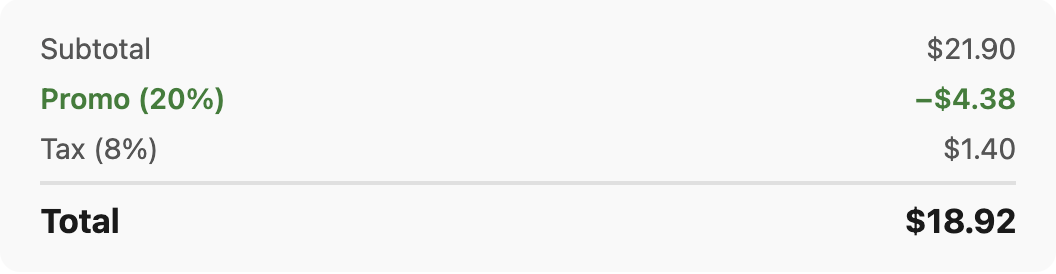
.sightmap): The Map A Sightmap names every view, component, and request in your application (e.g.,MenuCard,ApplyPromoButton,ReviewTotals). This is the only place raw CSS selectors exist. Tools and specs reference components strictly by name, never raw DOM selectors.yaml1- name: ReviewTotals 2 selector: '.review-totals' 3 description: 'Order totals breakdown on the Review step' 4 properties: 5 - name: total 6 extract: ReviewTotalsAmount.text 7 children: 8 - name: ReviewTotalsAmount 9 selector: '.review-totals__row--total' 10 properties: 11 - name: text 12 extract: textTools (
.sightkick): The Toolbox Sightkick operates at the CUA layer, using models against your Sightmap to turn component names into atomic, callable actions (apply_promo,read_cart,place_order). Runningsightkick buildvalidates the entire toolset, instantly failing if a tool targets an unmapped component.yaml1- name: apply_promo 2 description: Apply a promo code on the Review step and read the new total. 3 ensure_view: Checkout 4 params: 5 - name: code 6 type: string 7 required: true 8 description: The promo code. BURRITO20 is the only one that works. 9 guard: 10 absent: 11 query: PromoField 12 steps: 13 - fill: 14 query: PromoField 15 value: '{{code}}' 16 - click: 17 query: ApplyPromoButton 18 - wait_for: 19 query: PromoAppliedLabel 20 returns: 21 description: 'The order total after the promo, e.g. "Total: $18.92".' 22 value: 23 query: ReviewTotals 24 property: totalThe Spec (
.feature+ Plan): The Execution Artifact The high-level intent, in a standard.featurefile. No selectors, no tool names, nothing an agent put there. This is the artifact a product owner can read and a developer can argue with:gherkin1Feature: Order a burrito 2 As a hungry customer 3 I want to customize an item and pay for it 4 So that I get a confirmed order 5 6 Scenario: Order two steak burritos with a promo code 7 Given the menu lists five items 8 When I open "Classic Burrito" 9 And I customize "protein" as "steak" 10 And I increase the quantity to 2 11 And I add it to the cart 12 Then the cart holds one line for "Classic Burrito" at "$21.90" 13 When I check out 14 And I enter the delivery address "123 Main St", "Denver", "CO", "80203" 15 And I pay with card "4242 4242 4242 4242" expiring "09/26" 16 And I apply the promo code "BURRITO20" 17 Then the order total is "$18.92" 18 When I place the order 19 Then I get an order idAn agent resolves that once against the toolbox. Every line of Gherkin becomes one tool call and one assertion, checked into source control as clean JSON:
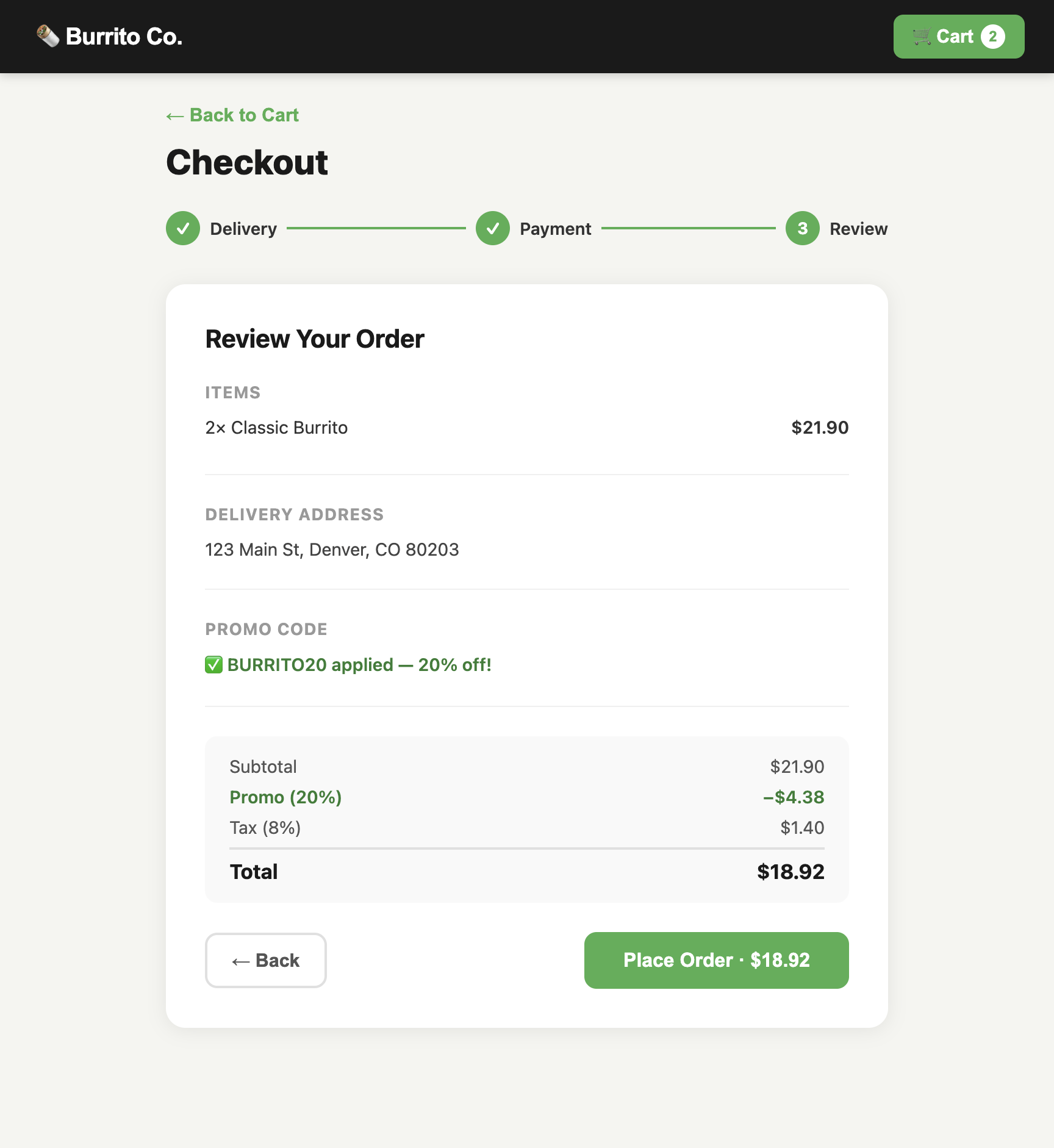
json1{ 2 "gherkin": "And I apply the promo code \"BURRITO20\"", 3 "tool": "apply_promo", 4 "params": { "code": "BURRITO20" }, 5 "expect": { "value": { "contains": "$18.92" } } 6}
When UI code changes, you update one line in the Sightmap corpus. The tools, executable plans, and scenario specs remain completely untouched.
Watch It Resolve
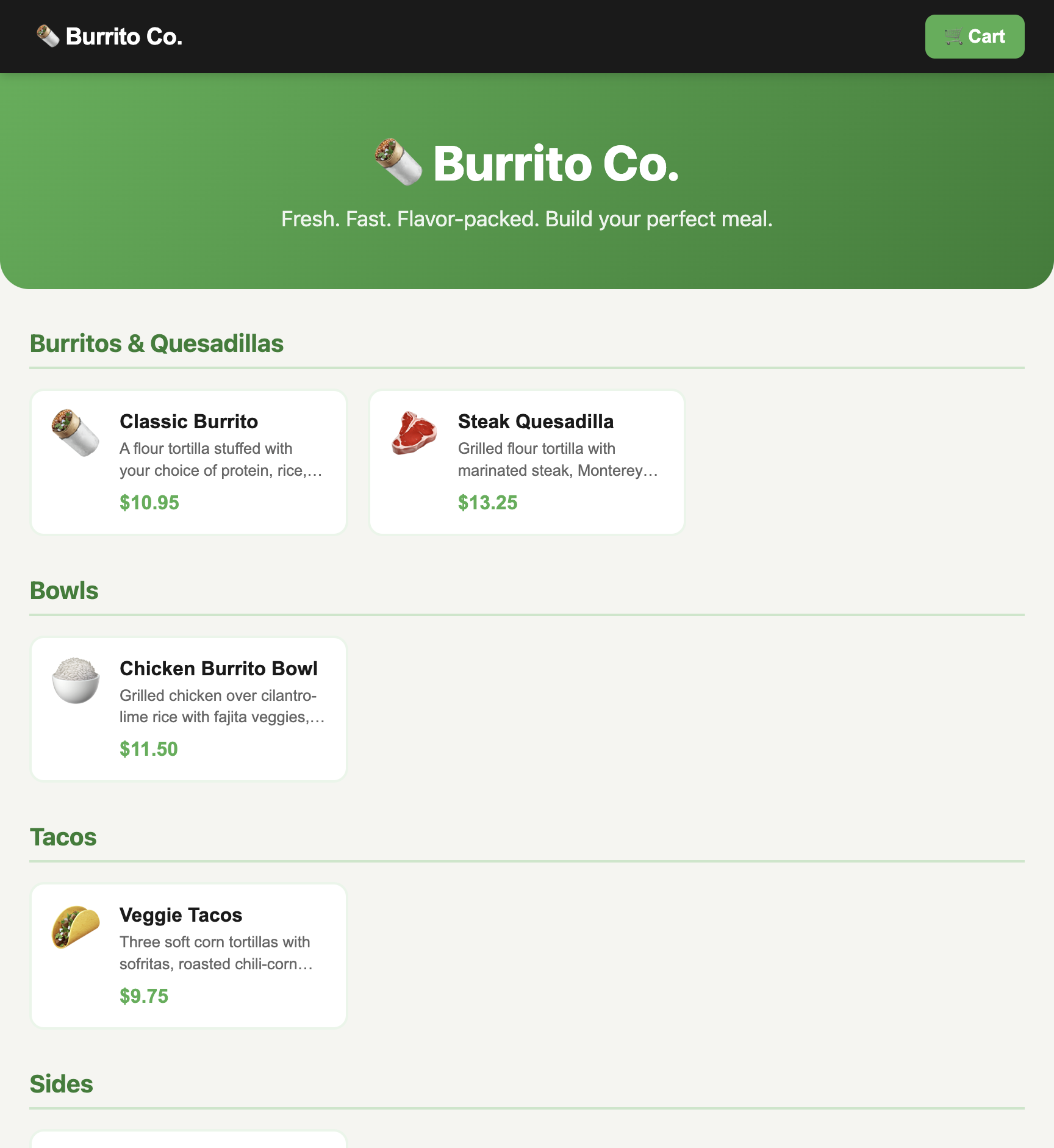
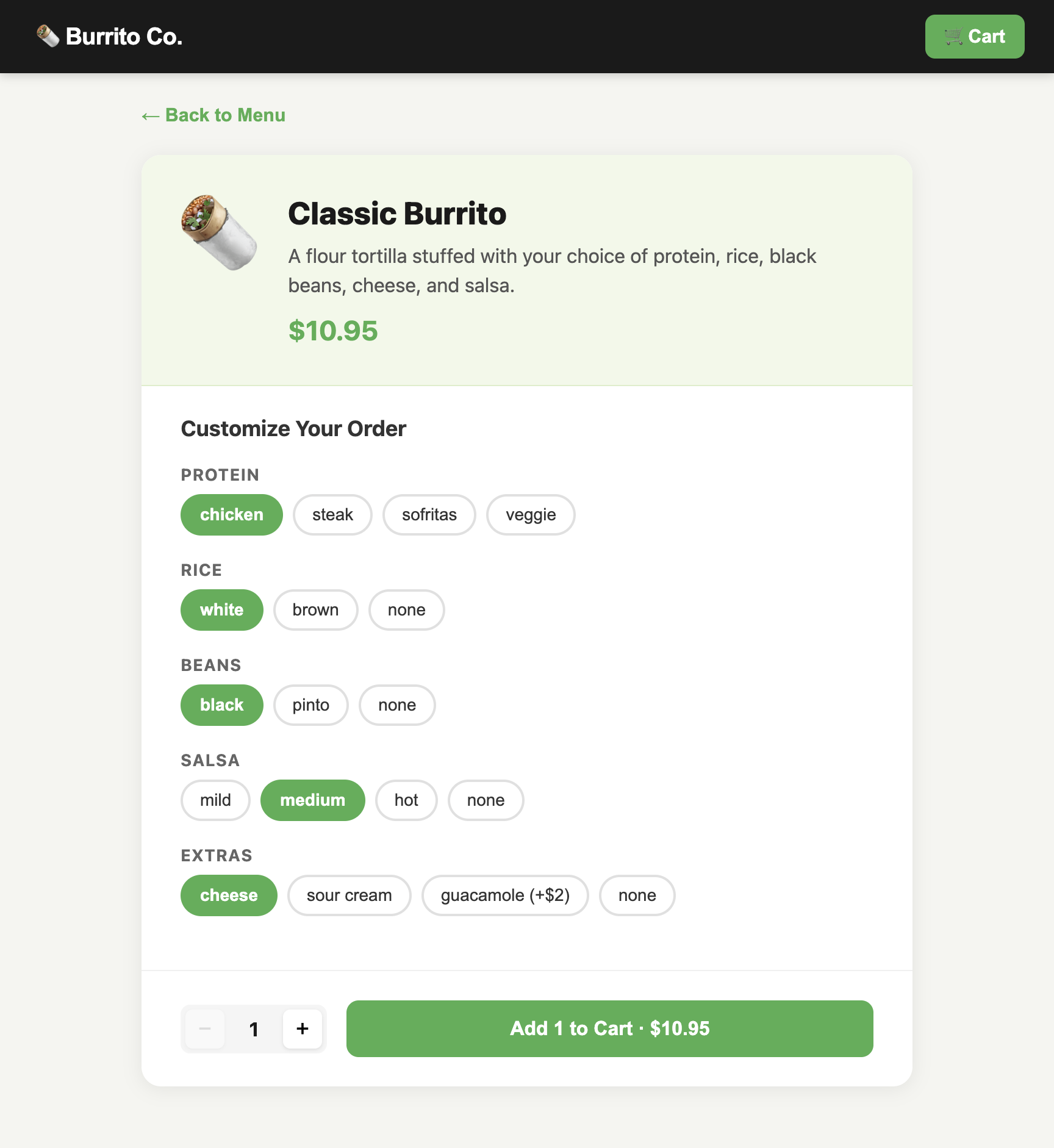
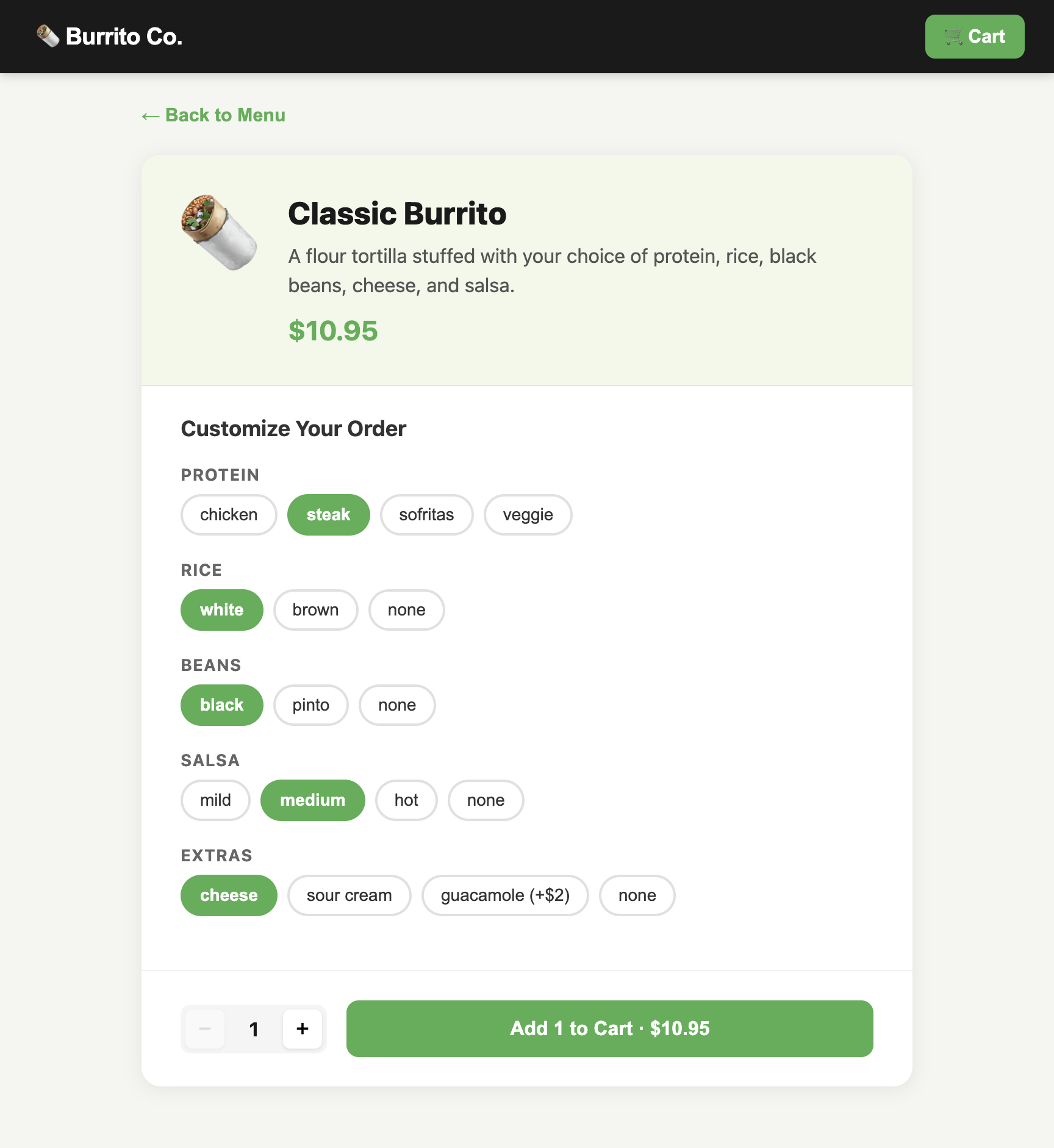
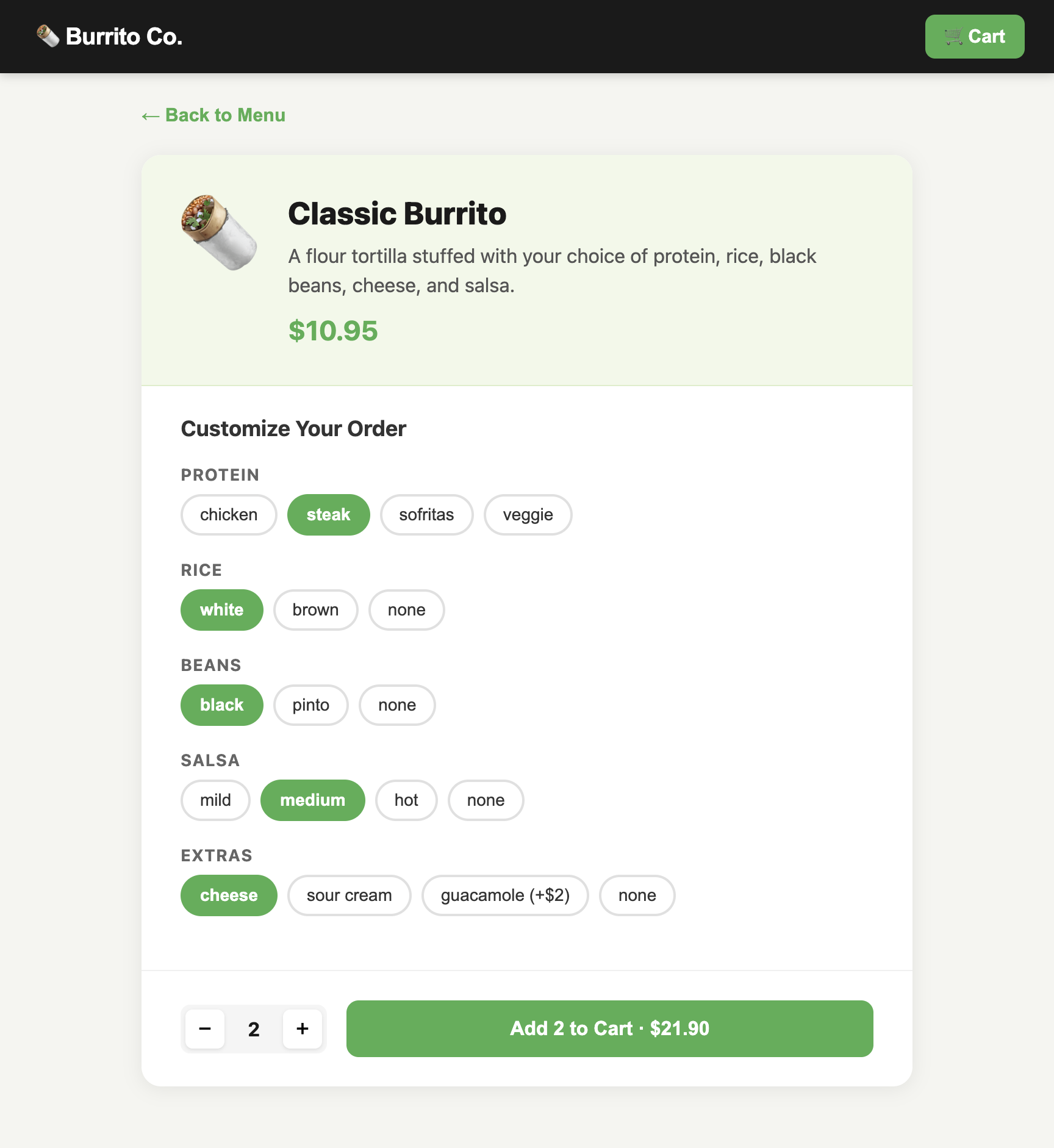
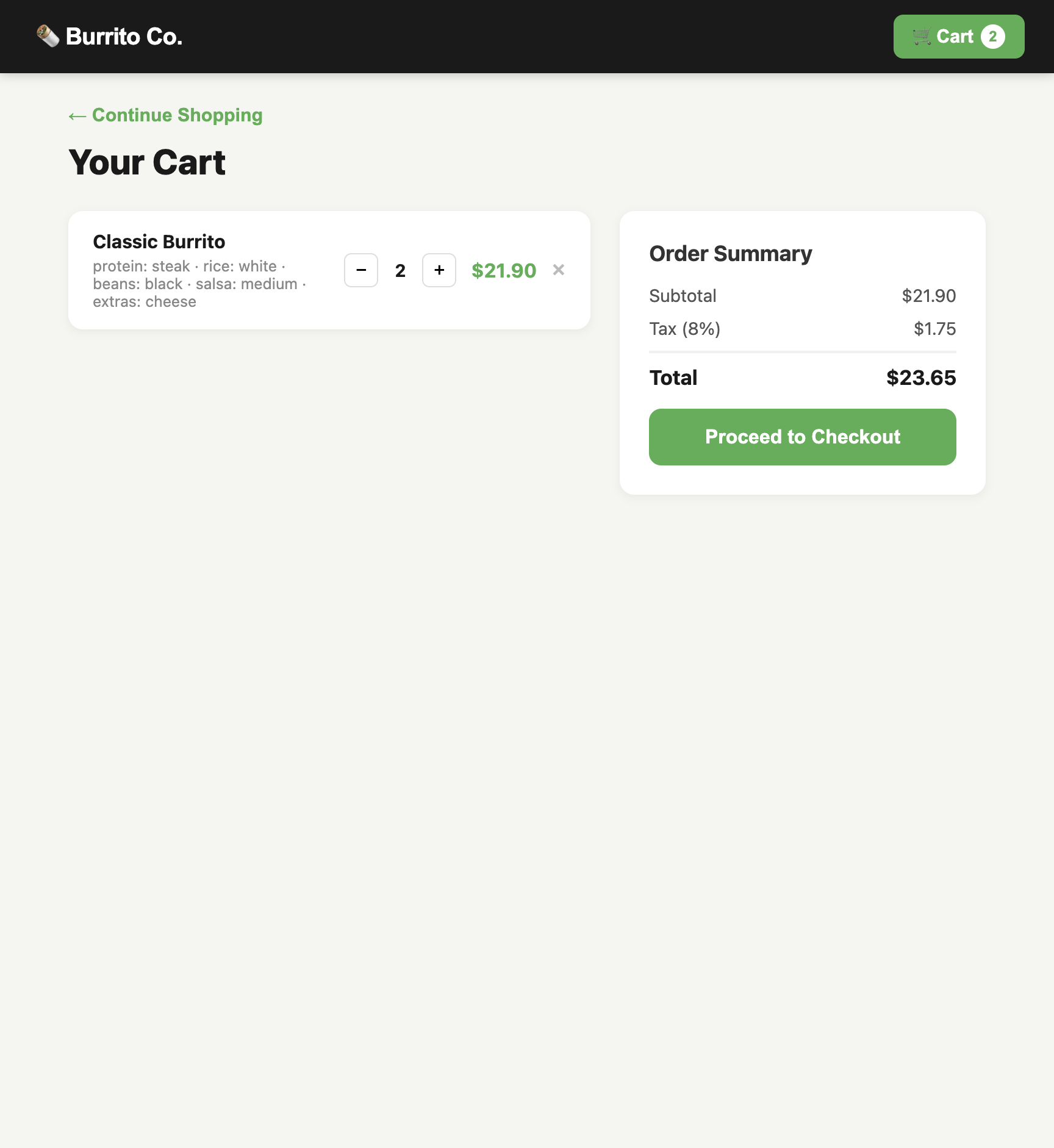
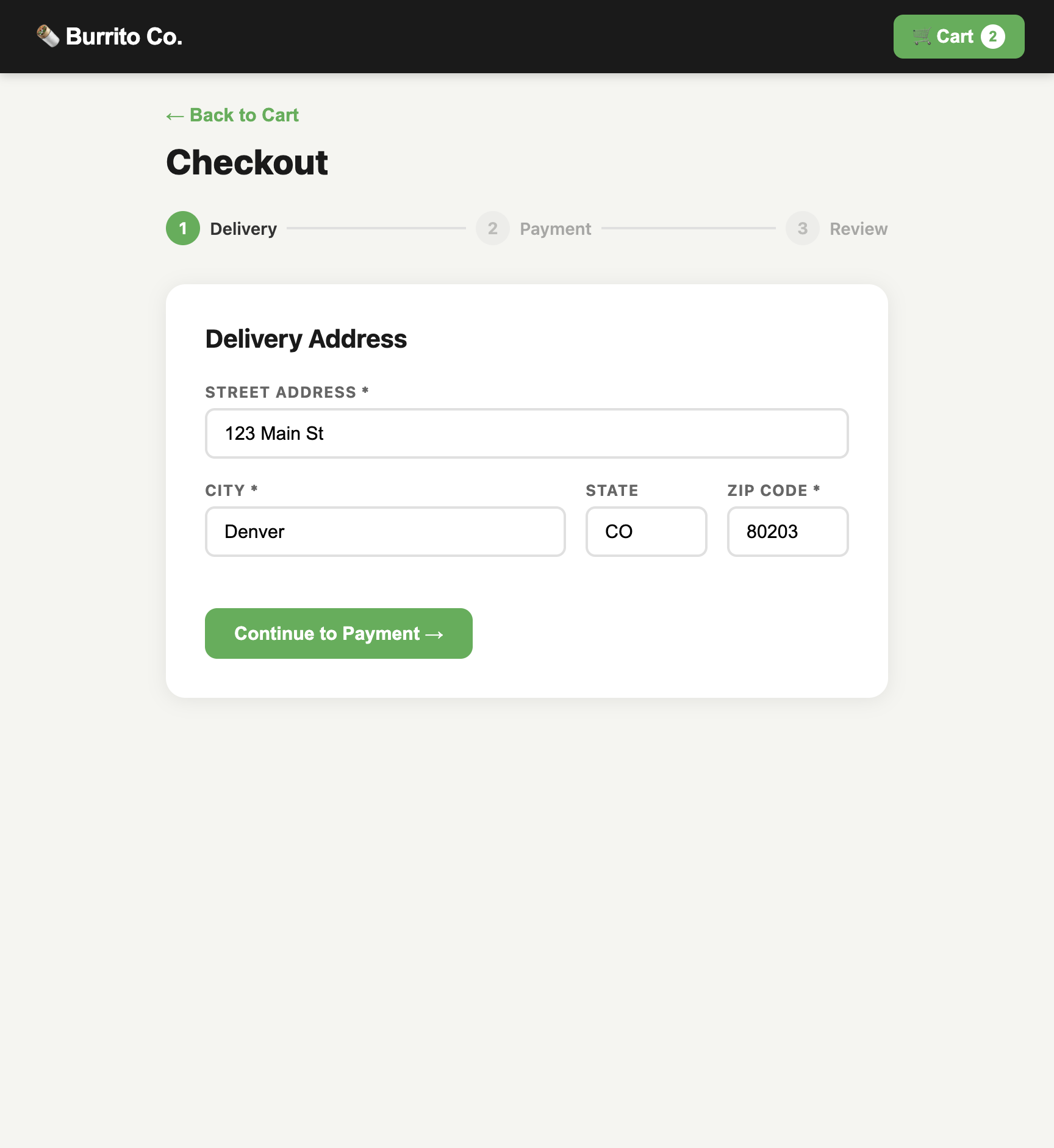
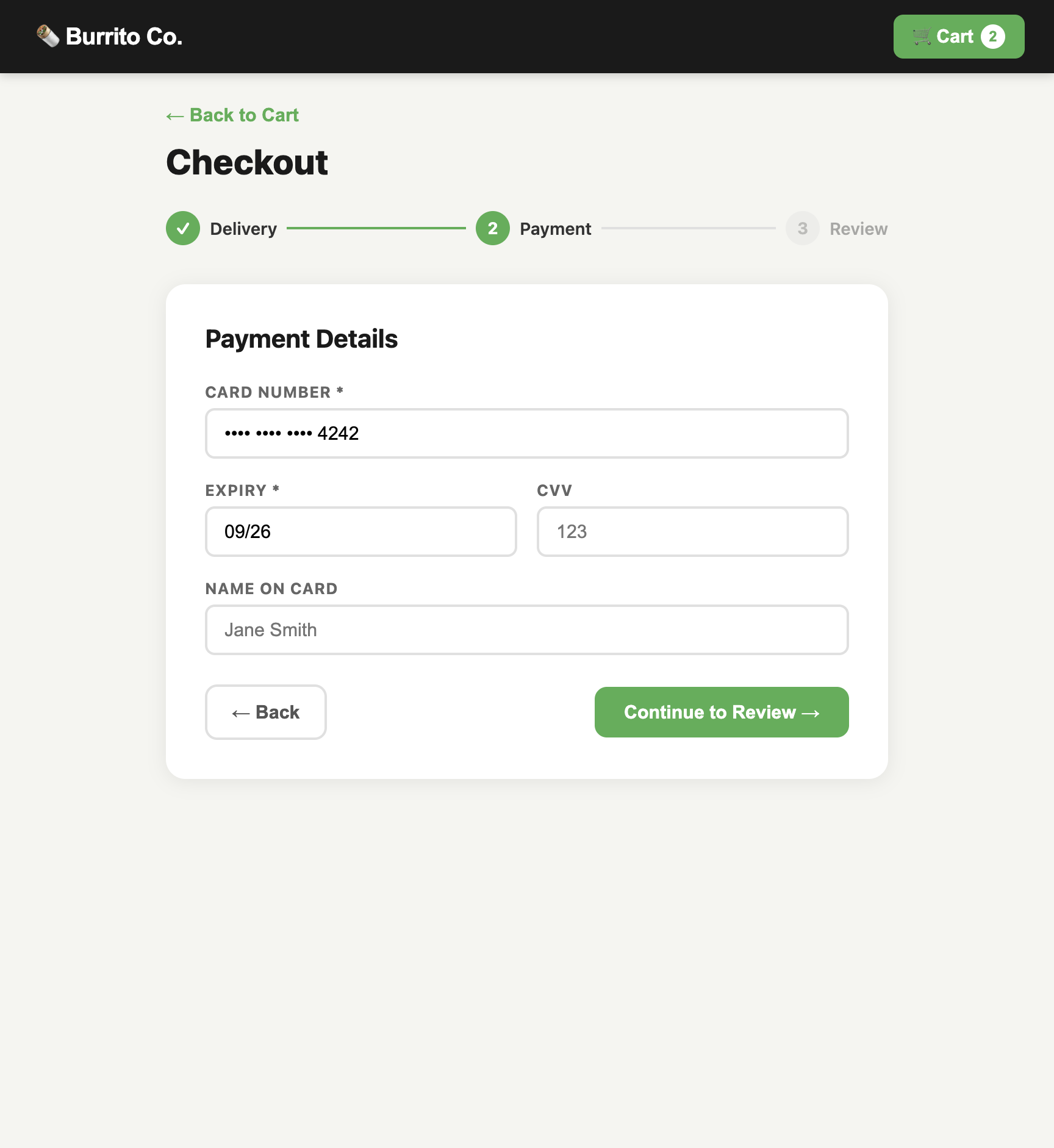
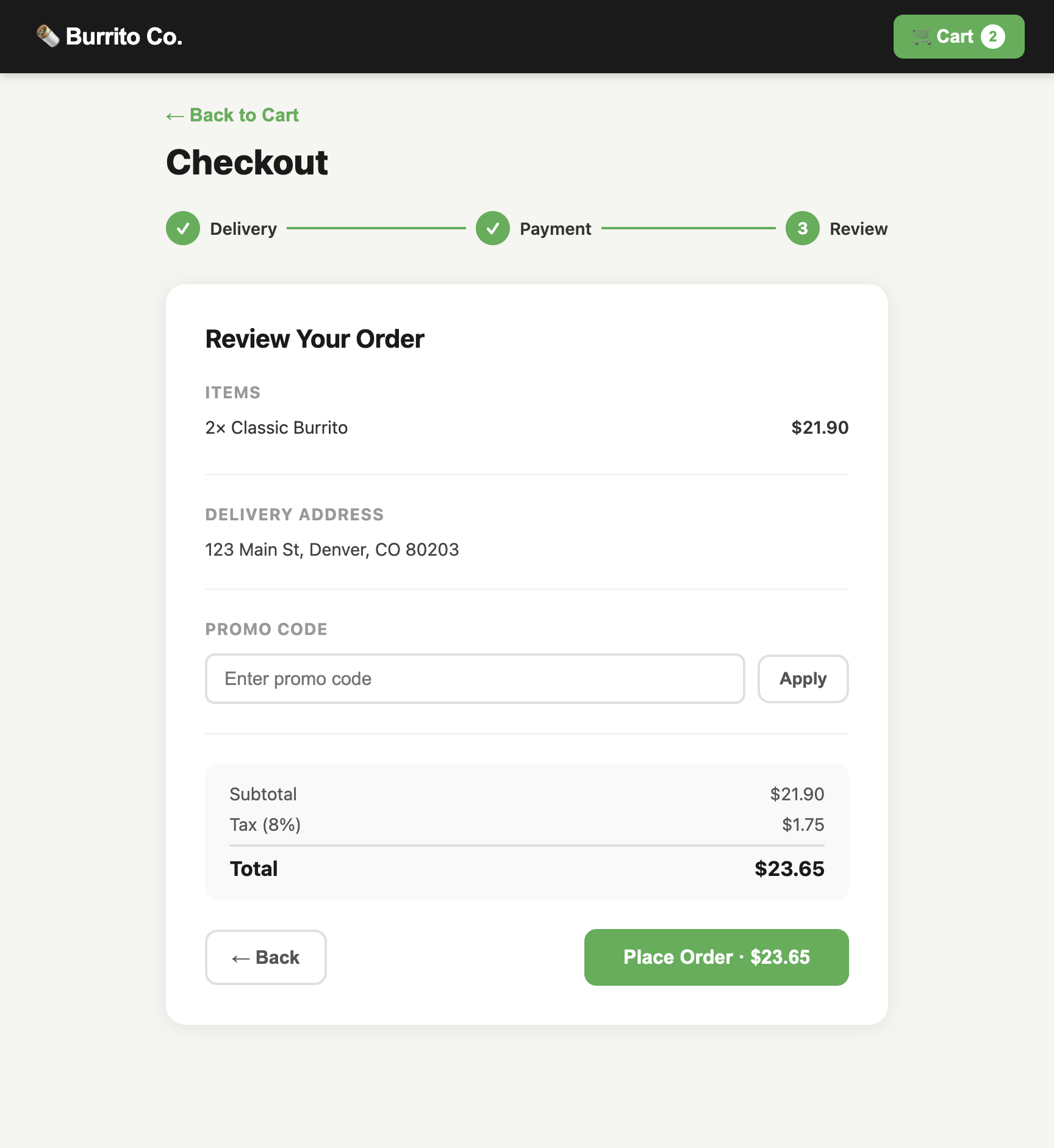
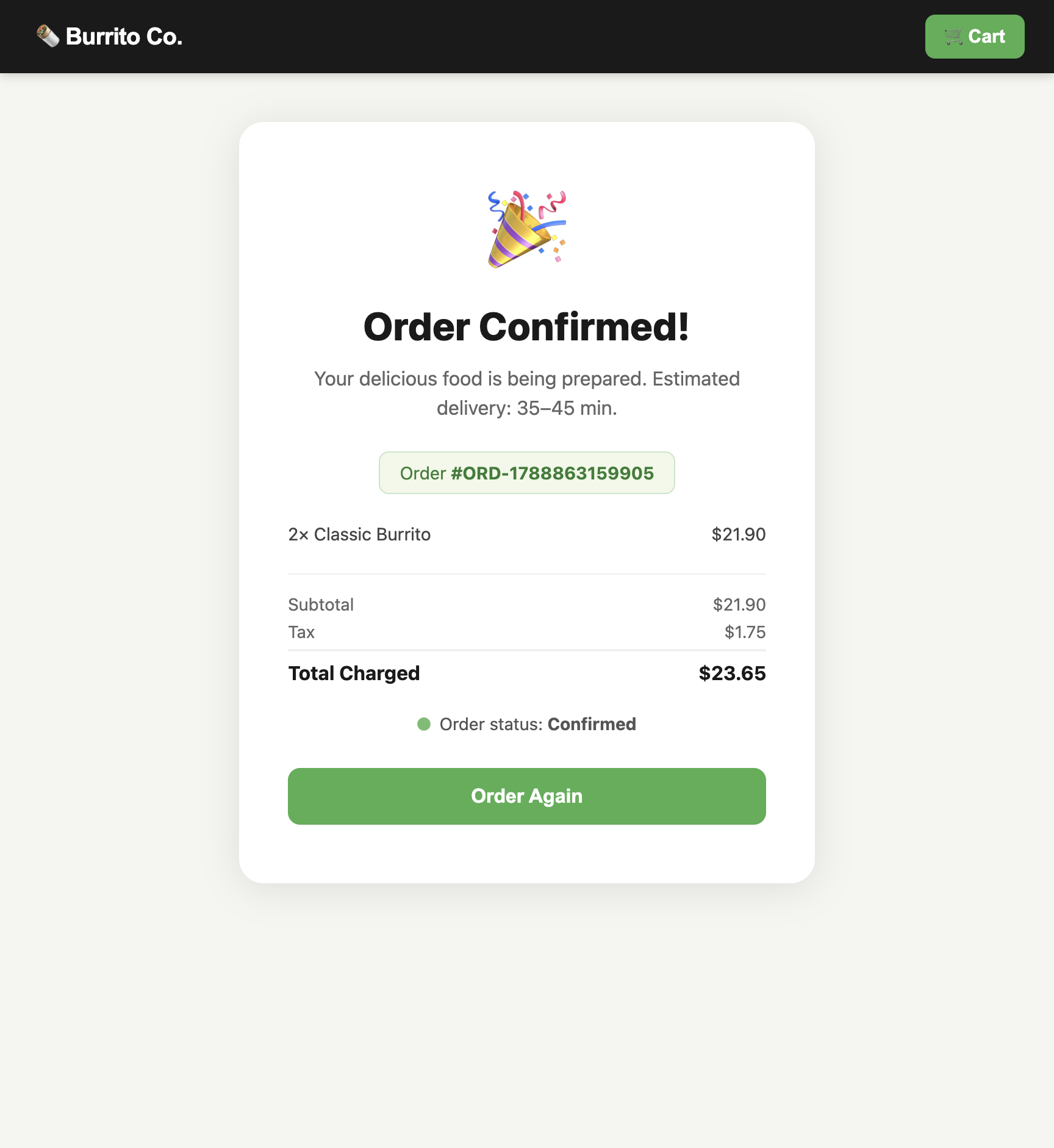
Below is a 13-step plan (examples/burrito/plans/purchase.plan.json from the sightkick repo) resolved and executed against our demo app, Burrito Co.
When you step through the trace, all three layers move in lockstep: the Gherkin intent triggers the deterministic tool call, which targets the mapped components. Each frame is the real screen that call produced.
This layered architecture solves two major pain points in browser testing:
- Journeys guide agents; they don't break runs. The original
purchasejourney included 14 steps, like inspecting item customizations. When resolving the plan, the agent realized that inspection step wasn't needed for this specific run and safely skipped it without breaking the execution. - State tracking is handled by the map. Burrito Co.'s checkout wizard handles Delivery, Payment, and Review all under a single URL. Instead of forcing the test runner to guess where it is, the Sightmap exposes
CheckoutSteps.activeStepas a property. Every tool automatically checks this state before running.
Three Closed Loops Beat One Open Problem
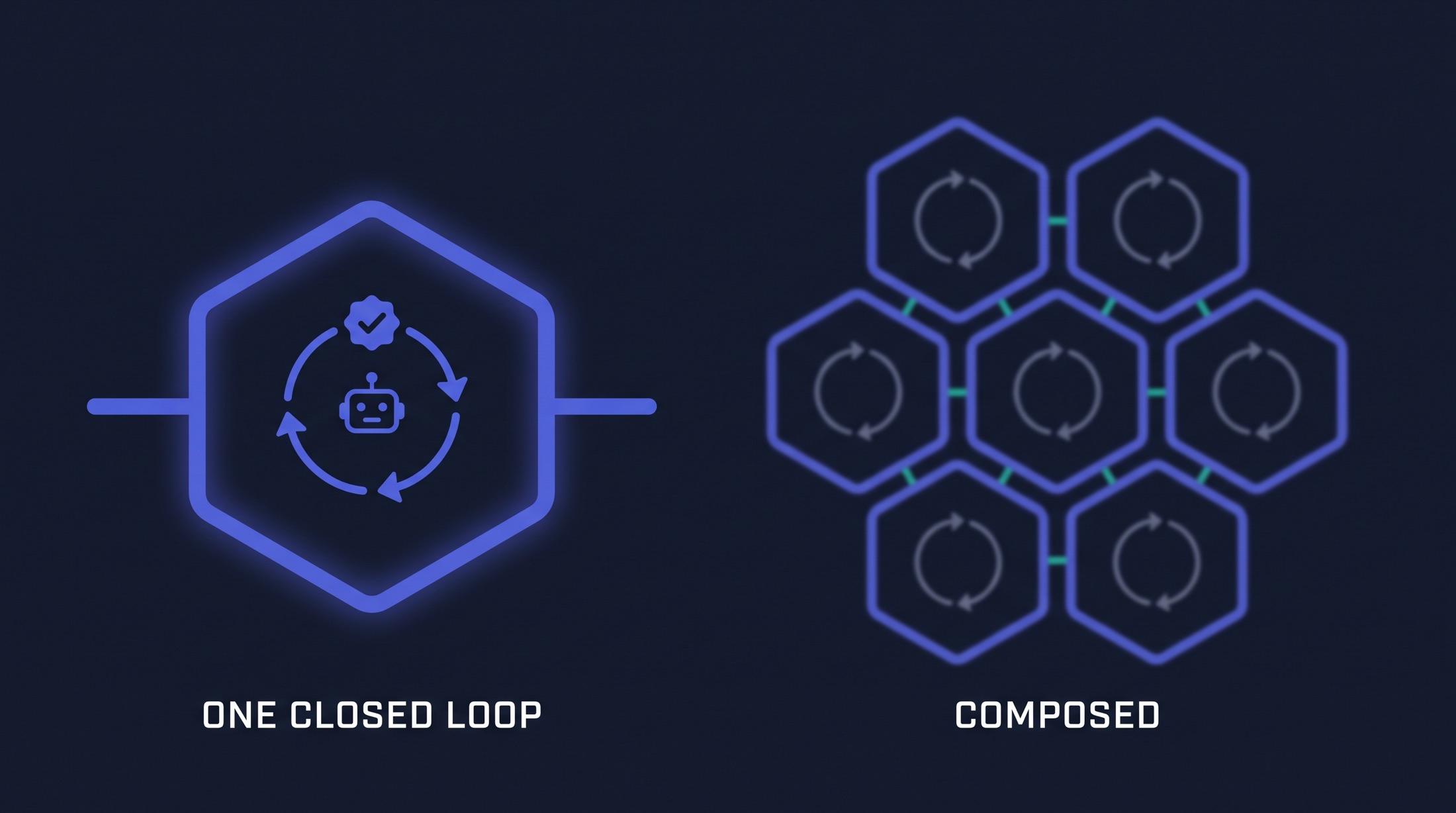
If you ask an AI agent to handle the entire testing lifecycle at once (map the app, write the tools, write the tests, and keep them synced) it will fail. There's no feedback loop telling it where something broke until everything downstream collapses.
Breaking the problem into three isolated, deterministic loops makes failures obvious and easy to fix:
- Components (Map): Verified by coverage. The target is zero unmapped elements.
- Tools (Actions): Verified by
sightkick build. It instantly catches invalid component references and suggests correct ones. - Specs (Intent): Verified by dual hashes (one for the text, one for the tools). If they don't match, the run stops before executing a bad test.
Each loop gives a clear pass/fail signal. When you compose them, you get a test suite that is lightning-fast in CI, but fully authored and maintained by agents.
Where to Start, and What's Next
Build from the ground up: map a view until you have zero orphans, use Sightkick with a model to generate its tools, and resolve feature specs against them. You can build and verify each layer before the one above it even exists.
Two things to keep in mind:
- Models are for authoring, not running: Sightkick uses System 1/2 models to author tools and resolve plans. Once a
.featurefile is saved as a JSON plan, it runs in CI completely deterministically. No live models required. - Tools are page-specific: Tools are intentionally scoped to single documents (due to how WebMCP handles cross-document responses). This keeps tools modular and perfectly reusable across different test scenarios.
Ready to build agent-defined, deterministic specs?
- Start mapping: github.com/sightmap/sightmap
- Build your toolbox: github.com/sightmap/sightkick